
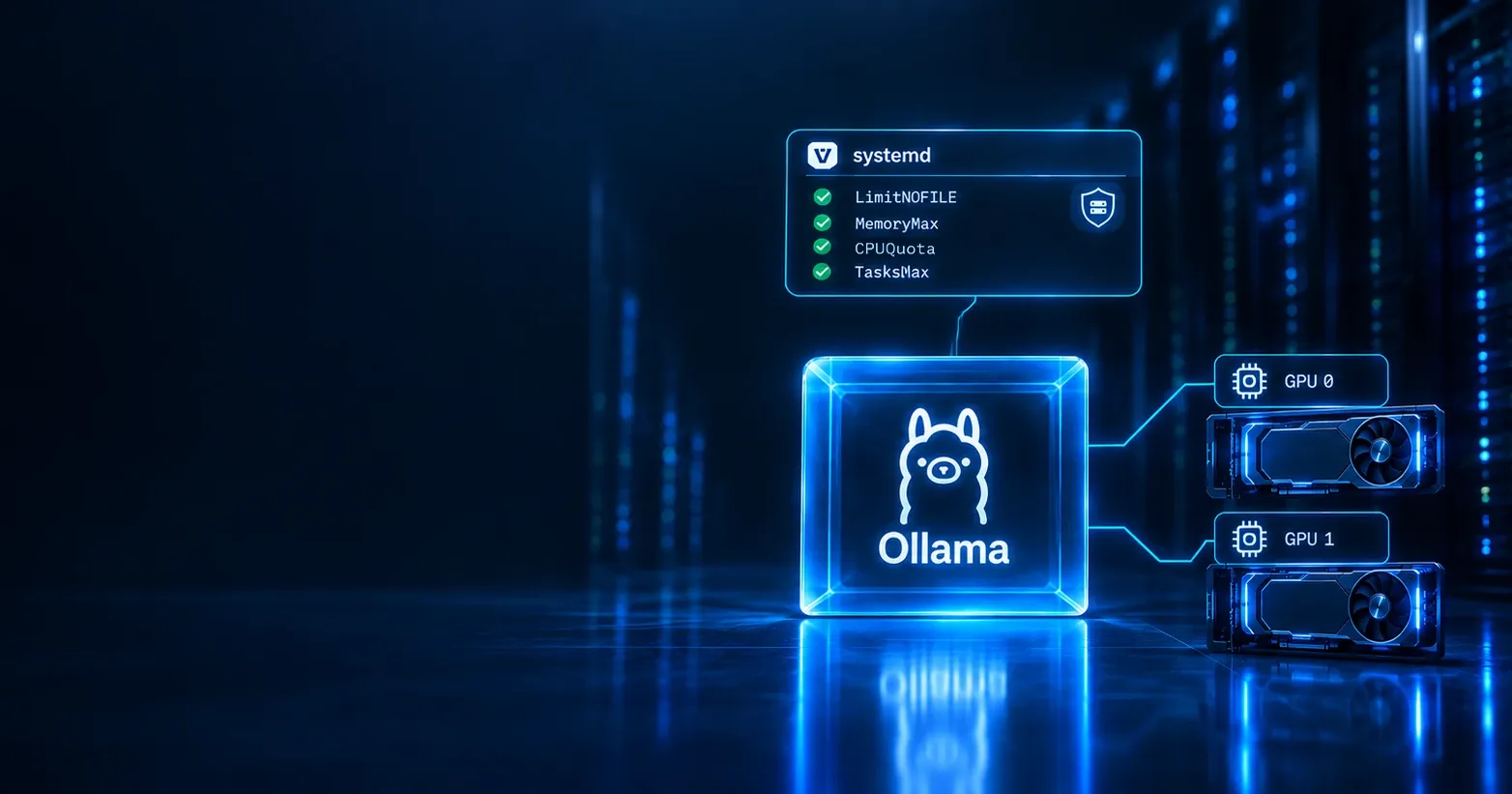
Ollama on my server runs the way its installer left it: a systemd unit with a user, a restart policy and nothing else. No memory limit, no CPU limit, the whole file system writable where Unix permissions allow it, every device in /dev reachable. systemd has dozens of directives to change that, and a tool that grades how much of it a service uses: systemd-analyze security gives every unit an exposure score from 0 (tightly sandboxed) to 10 (nothing applied). Ollama started at 9.2 UNSAFE 😨.
This is the fourth post in my AI homelab series. The first built a container by hand from namespaces and cgroups, the second set up Ansible, and the third put the AI agent I work with into a sandbox. That agent wrote the roles in this lab from inside its sandbox; every command that touched systemd, I ran.
This one is Lab 0b. Ollama and a small service of my own under systemd, with limits taken from measurements, hardening applied in rounds with a regression test after each, and failures caused on purpose to prove the settings do what they say. Ollama ended at 1.4 OK 🙂, the small service at 0.9 SAFE 😀. One memory limit did nothing at all until I found out why.
- Guide: every command, step by step
- Results: measurements, scores and surprises
- Role
ollama: drop-ins for the installer’s unit - Ollama’s hardening:
hardening.conf - Role
lab0b_demo: a service of my own with a secret - The demo unit:
lab0b-demo.service
What “done” meant
Three checks, taken from the roadmap:
| Criterion | Result |
|---|---|
Ollama and a second service under systemd with MemoryMax, CPUQuota, Restart=on-failure, ProtectSystem=strict, PrivateTmp, NoNewPrivileges |
✅ two Ansible roles |
Raise the exposure score of systemd-analyze security |
✅ Ollama 9.2 → 1.4, the demo 8.2 → 0.9 |
Ad-hoc limits with systemd-run --scope |
✅ an OOM kill inside a transient scope |
The setup: Ubuntu 24.04, kernel 7.0, cgroup v2, systemd 255, Ollama 0.32.14, two RTX 5060 Ti 16 GB, 64 GB of RAM and an 8 GiB swap file. Every directive was read in the manual pages of the installed systemd before it was used, not taken from memory.
Where Ollama started
Ollama’s install script writes /etc/systemd/system/ollama.service: User=ollama, Restart=always, RestartSec=3, a PATH. Next to it I had one drop-in of my own:
[Service]
Environment="OLLAMA_HOST=0.0.0.0:11434"
ExecStartPre=+/usr/bin/timeout 60 /bin/sh -c 'until /usr/bin/nvidia-smi -L >/dev/null 2>&1; do sleep 1; done'
The listen address is there because other clients on the server use Ollama. The wait is a guard against a race at boot: started too early, Ollama sees fewer cards and runs on the CPU until the next restart. The + runs that command with full privileges, outside the unit’s sandboxing. That detail mattered later.
| Reading | Value |
|---|---|
| Exposure score | 9.2 UNSAFE 😨 |
| Checks passed | 6 of 81 |
MemoryMax, CPUQuota |
none |
TasksMax |
70833 (systemd’s default) |
| Memory, idle | ≈ 550 MiB |
What Ollama’s memory really is
A memory limit on a model server is only safe if you know what the server’s cgroup counts. Models live in VRAM, so I expected the cgroup to stay small. It did not.
| Model loaded | Placement | memory.current |
Page cache (file) |
Anonymous (anon) |
|---|---|---|---|---|
| none | 550 MiB | |||
llama3.1:8b |
100% GPU, one card | 5.8 GiB | 5.3 GiB | 0.5 GiB |
qwen3.8:27b after unloading the first |
100% GPU, both cards | 23.1 GiB | 22.4 GiB | 0.7 GiB |
Most of it is page cache: the model files Ollama read on their way into VRAM. The kernel charges page cache to the cgroup that read the file, and unloading a model frees its VRAM, not its cache. After two models the cgroup counted 23 GiB, of which Ollama needed about 1.4 GiB.
The interesting case is a model that does not fit into VRAM. None of mine is larger than both cards together, so for this test I limited Ollama to one card for a while and restored the second afterwards. qwen3.8:27b then ran 25% on the CPU:
Process memory (llama-server, the runner) |
Context 4096 | Context 32768 |
|---|---|---|
| Mapped from the model file | 4.1 GiB | 5.4 GiB |
| Anonymous | 0.6 GiB | 1.3 GiB |
| CPU share of the model | 25% | 35% |
The layers on the CPU are mapped from the model file: clean pages the kernel can drop and read again. What grew with the context was anonymous memory, and llama.cpp’s own log named it: CPU KV buffer size = 640.00 MiB, the KV cache of the layers on the CPU.
One more case turned up later. With a model entirely on the CPU, Ollama disables mmap (load_mode = none in its log), and everything is anonymous: 8.65 GiB for llama3.1:8b with a 32k context, none of it cache.
| Where the model runs | Weights on the CPU | KV cache on the CPU |
|---|---|---|
| 100% GPU | none | none |
| Partly on the CPU | mapped from the file, reclaimable | anonymous |
| Entirely on the CPU | anonymous | anonymous |
Limits from measurements
First the mechanism, on a throwaway command. systemd-run --scope puts any command into a transient cgroup with limits:
sudo systemd-run --scope --expand-environment=no -p MemoryMax=100M -p MemorySwapMax=0 sh -c '<cmd>'A 300 MB allocation was killed inside the scope, and with systemd’s default OOMPolicy=stop the whole scope went with it: the wrapping shell printed Terminated before it could report anything. With OOMPolicy=continue only the allocation died.
Then the numbers for Ollama, each from a measurement:
| Setting | Value | Measured basis |
|---|---|---|
MemoryHigh |
16G | Ollama needs 0.6–1.6 GiB; above this the kernel reclaims page cache |
MemoryMax |
32G | half of the host; reached only by memory that cannot be dropped |
CPUQuota |
1600% | one model entirely on the CPU uses 8 threads, about 790% |
TasksMax |
512 | 21 tasks idle, 76 at peak with one model |
The test that matters: load two models in a row, about 22 GiB of files. The cgroup stopped 3.2 MiB below MemoryHigh, the kernel reclaimed cache 916 times, nothing was killed, and the model answered from both GPUs. The CPU quota never throttled a model on the CPU (13.2 tokens/s with it, 13.6 without).
Drop-ins, not the unit
Ollama’s install script rewrites ollama.service on every run and never touches ollama.service.d/. So the role manages drop-ins only: my existing one, and hardening.conf for everything in this post.
Three decisions went into the first round:
| Setting | Chosen | Why |
|---|---|---|
Restart= |
on-failure (was always) |
a clean exit is deliberate, a crash is not |
OOMPolicy= |
continue |
an OOM kill should take the model runner, not the server |
| Start limit | 5 starts in 5 minutes | systemd’s default never triggers here |
The last one surprised me. systemd stops restarting a unit after 5 starts in 10 seconds, by default. Ollama waits 3 seconds between restarts, so it can never start 5 times in 10 seconds: a permanently broken Ollama would restart forever.
The file system and the GPU
ProtectSystem=strict makes the whole file system read-only for the service, except what ReadWritePaths= lists. Ollama’s home is /usr/share/ollama, under /usr, so even the mildest setting would have broken it. Two paths stay writable: ~/.ollama (models, cache, its key) and ~/.nv (NVIDIA’s compute cache).
Devices were the risky part, because a GPU service without its devices does not fail: it starts and runs on the CPU. PrivateDevices=yes hides /dev/nvidia*, so it was out. Instead I looked at what Ollama actually opens with a model loaded:
| Device | Opened by the runner |
|---|---|
/dev/nvidiactl, /dev/nvidia0, /dev/nvidia-uvm |
✅ |
/dev/nvidia1 |
✅ when a model spans both cards |
/dev/dri/*, /dev/nvidia-caps/*, /dev/nvidia-modeset |
❌ never |
That became DevicePolicy=closed with two device groups, char-nvidia and char-nvidia-uvm. Two details from the manual made it work. Device rules apply to the whole cgroup, so the + of the GPU wait does not bypass them: get them wrong and the wait times out. And a device group that does not exist when the unit starts is silently dropped, so nvidia_uvm is loaded first with Wants=/After=modprobe@nvidia_uvm.service.
A test that only shows “it still works” could also mean “nothing is restricted”, so a transient service with the same rules tried four devices as user ollama:
| Device | With the rules | Without |
|---|---|---|
/dev/nvidiactl |
✅ opened | ✅ opened |
/dev/nvidia-uvm |
✅ opened | ✅ opened |
/dev/dri/renderD128 |
❌ Operation not permitted | ✅ opened |
/dev/nvidia-caps/nvidia-cap2 |
❌ Operation not permitted | ✅ opened |
Turning the screws, round by round
Each round went through the role, a check run, a real run, systemctl show for what systemd actually loaded, and a test:
| Round | Added | Score |
|---|---|---|
| Start | nothing | 9.2 UNSAFE 😨 |
| 1 | NoNewPrivileges, PrivateTmp, restart and OOM policy |
8.7 EXPOSED 🙁 |
| 2 | ProtectSystem=strict, ProtectHome |
8.3 EXPOSED 🙁 |
| 3 | DevicePolicy=closed, DeviceAllow |
8.2 EXPOSED 🙁 |
| 4 | 16 kernel, process and privilege restrictions | 3.4 OK 🙂 |
| 5 | address families, system call filter, private user namespace, no writable-executable memory | 1.5 OK 🙂 |
| 6 | remove privileged system calls | 1.4 OK 🙂 |
Round 4 did most of the work: empty capability set, protected kernel tunables, modules, logs and control groups, ProtectProc=invisible, no new namespaces, native system calls only.
Round 5 had five directives that can break a GPU service, so each was tried alone in a temporary drop-in under /run before it went into the role:
| Directive | Risk | Result |
|---|---|---|
RestrictAddressFamilies |
blocks a socket type Ollama needs | ✅ pass |
SystemCallFilter |
a system call outside the list kills the process | ✅ pass |
PrivateUsers |
GPU access through the render and video groups |
✅ pass |
MemoryDenyWriteExecute |
CUDA compiling kernels at load time | ✅ pass |
ProcSubset=pid |
NVIDIA’s files in /proc |
❌ not used |
What went into the role: RestrictAddressFamilies=AF_UNIX AF_INET AF_INET6 AF_NETLINK; SystemCallFilter=@system-service with SystemCallErrorNumber=EPERM, so that a missing call fails instead of killing the process; PrivateUsers=yes, which works because the NVIDIA device nodes are world-accessible; and MemoryDenyWriteExecute=yes, which works because CUDA has ready-made kernels for these cards and compiles nothing at load time.
ProcSubset=pid was the instructive one. The GPU kept working and every test passed, but Ollama logged error looking up system memory … open /proc/meminfo: no such file or directory. It would have kept running, deciding blind whether a model fits into memory.
Round 6 came from reading the score: @system-service, systemd’s own system call set for ordinary services, still allows chown, setuid and chroot. A second line, SystemCallFilter=~@privileged, removes them.
Does it still work?
“It answers” is not enough for a service that can fall back to the CPU without an error. After round 4, and again on the final configuration:
| Test | Result |
|---|---|
| Copy and delete a model | ✅ |
| Pull a model (network, large files, temporary files) | ✅ |
| Embeddings | ✅ 384 dimensions |
| A client in a Docker container | ✅ |
| A model on both cards | ✅ 100% GPU, same VRAM as before |
| An image through the model’s vision encoder | ✅ “Red” for a red square |
| A model entirely on the CPU | ✅ 13.5 tokens/s, as before hardening |
| A reboot | ✅ both cards found 6 s after the start |
After the reboot the journal shows the order the unit asks for: nvidia_uvm loaded, then Ollama started, then both cards found through CUDA.
A service of my own
Ollama’s unit belongs to its installer. A unit of my own shows what is possible from the start, so the lab has a second service: python3 -m http.server on 127.0.0.1:8765, deliberately trivial, with a secret.
| Directive | What it does |
|---|---|
DynamicUser=yes |
a user allocated at start and released at stop, nothing in /etc/passwd |
StateDirectory=lab0b-demo |
/var/lib/lab0b-demo, created by systemd for that user |
EnvironmentFile=/etc/lab0b-demo.env |
read by systemd as root before the process starts |
The secret never enters git: I create the file by hand as root, mode 0600, and the role only asserts that it exists with that owner and mode.
| Who tries to read it | Result |
|---|---|
systemctl show |
✅ only the path, never the content |
| The service process | ✅ DEMO_TOKEN is set |
| Another user | ❌ Permission denied |
| A service with a dynamic user, reading the file | ❌ Permission denied |
The other user tried the process environment, /proc/<pid>/environ; root can read it, nobody else.
With nothing to protect but a socket on loopback, the demo could have what Ollama cannot. It was hardened in one go, so there are two measurements, not six:
| Round | Added | Score |
|---|---|---|
| Start | DynamicUser, StateDirectory, EnvironmentFile |
8.2 EXPOSED 🙁 |
| 1 | ProtectHome=yesPrivateDevices=yesPrivateUsers=yesCapabilityBoundingSet= (empty)ProtectKernelTunables=yesProtectKernelModules=yesProtectKernelLogs=yesProtectControlGroups=yesProtectClock=yesProtectHostname=yesProtectProc=invisibleProcSubset=pidRestrictNamespaces=yesRestrictRealtime=yesLockPersonality=yesMemoryDenyWriteExecute=yesRestrictAddressFamilies=AF_INETIPAddressDeny=anyIPAddressAllow=localhostSystemCallArchitectures=nativeSystemCallFilter=@system-serviceSystemCallFilter=~@privileged @resourcesSystemCallErrorNumber=EPERMUMask=0077limits: MemoryMax=64M, MemorySwapMax=0, CPUQuota=50%, TasksMax=16, Restart=on-failure |
0.9 SAFE 😀 |
DynamicUser=yes alone implies six protections, among them ProtectSystem=strict and NoNewPrivileges, yet the start was 8.2: those weigh little in the score.
The IP filter had one surprise. From inside the service’s cgroup, a connection to the internet did not fail with “permission denied”. It timed out: systemd’s filter drops packets silently.
Breaking it on purpose
The restart and OOM settings had only been read in the documentation. Four tests:
| Test | Result |
|---|---|
kill -9 Ollama |
✅ back in 4 s, both cards found |
| Five more kills within a minute | ✅ sixth start refused |
| 200 MB inside the demo’s 64M limit | ⚠️ no OOM at all |
| 6 GiB inside Ollama’s cgroup under a temporary 4G limit | ✅ only the allocation killed, Ollama kept running |
The start limit shows up only in the journal, as Start request repeated too quickly; the unit’s Result= still says signal.
The third one was the finding of the lab. The cgroup’s counters showed where the memory went:
| Counter | Value |
|---|---|
memory.max |
64 MiB |
memory.peak |
64 MiB |
memory.swap.max |
unlimited |
memory.swap.peak |
155 MiB |
MemoryMax= limits RAM. Swap has its own limit, MemorySwapMax=, and it is unlimited by default. On a host with swap, a service above its memory limit does not get killed; it moves to swap and slows down. For Ollama that means a model or its KV cache in swap, answers in minutes instead of an error a client can handle. Both services got MemorySwapMax=0, and the same test then went as designed: the allocation was killed, and Restart=on-failure brought the demo back within the same second. That also answered the one question the manual had left open: a unit stopped by OOMPolicy=stop counts as failed and is restarted.
What the score does and does not tell you
The manual is explicit: a high score means little sandboxing is applied, not that a service is vulnerable, and a low one says nothing about the program’s own code. What is left is a list of things each service genuinely needs:
| Still failed | Ollama | Demo | Why |
|---|---|---|---|
PrivateNetwork |
⚠️ | ⚠️ | both serve clients |
| Internet sockets | ⚠️ | ⚠️ | both listen |
IPAddressDeny |
⚠️ | partly | Ollama downloads models |
PrivateDevices |
⚠️ | ✅ | the GPU |
DeviceAllow |
partly | partly | device lists |
ProcSubset |
⚠️ | ✅ | Ollama needs /proc/meminfo |
@resources system calls |
⚠️ | ✅ | llama.cpp places its threads on cores |
UMask |
⚠️ | ✅ | Ollama’s files stay readable for its group |
RootDirectory |
⚠️ | ⚠️ | both run in the host’s root |
“Partly” means half the exposure of the check: the demo’s IP filter allows loopback, and both device lists contain what the tool calls “special devices”. Ollama’s are the GPU’s; the demo’s, despite PrivateDevices=yes, is the clock device that ProtectClock=yes adds.
Small things that bite
MemoryMax=withoutMemorySwapMax=0limits RAM, not memory.- A service without its GPU devices does not fail; it waits, then runs on the CPU. Check the log for the cards after every change.
Result=does not show the start limit, and the restart counter includes the restart the limit refused. Read the journal.systemctl revertremoves every drop-in of a unit, not just the one you meant. To undosystemctl set-property --runtime, set the old value and remove its file under/run/systemd/system.control/.sudo cmd < fileopens the file as you, not as root.
What surprised me
- A memory limit that did nothing:
MemoryMax=let a service grow into swap untilMemorySwapMax=0was set. - Ollama’s memory is mostly page cache, even of models it has already unloaded; what it needs is a gigabyte or two.
- Whether the CPU part of a model can be reclaimed depends on how Ollama loads it: mapped from the file when the model is partly on the GPU, all anonymous memory when it is entirely on the CPU.
- A CUDA service took far more hardening than I expected, down to 1.4. What stopped the last points was the device list, the network and
/proc/meminfo, not CUDA. - The failures that matter are quiet: a GPU service on the CPU, a server blind to system memory with one warning in the log, a firewall that looks like a slow network.
What’s next
The next lab is the firewall: iptables to nftables, and how ufw, Docker’s rules and nftables share one kernel. Ollama listens on all interfaces because other clients on the server need it, so what reaches its port is the firewall’s decision, and systemd’s per-service IP filter is a second layer worth comparing with it. Later, the observability lab gets the alerts systemd cannot send by itself: a unit in failed, a restart counter going up, an oom_kill in a service’s memory events.
Everything from this post, in full:
- Guide: every command, step by step
- Results: measurements, scores and surprises
- Role
ollama: drop-ins for the installer’s unit - Ollama’s hardening:
hardening.conf - Role
lab0b_demo: a service of my own with a secret - The demo unit:
lab0b-demo.service